Only family can ring. Nobody else. Ever.
Ghan Ghan turns your child's PC or tablet into a one-button video phone for the family. No phone number, no email, no strangers, no ads — just Mumma, Papa, Nani and Dadu, one tap away. Calls go straight between your devices, encrypted end to end.
🧒 No download? Open the child's screen in any browser — Mac, iPad, laptop →- No child account
- Ad-free, always
- Encrypted peer-to-peer
 Ghan Ghan─▢✕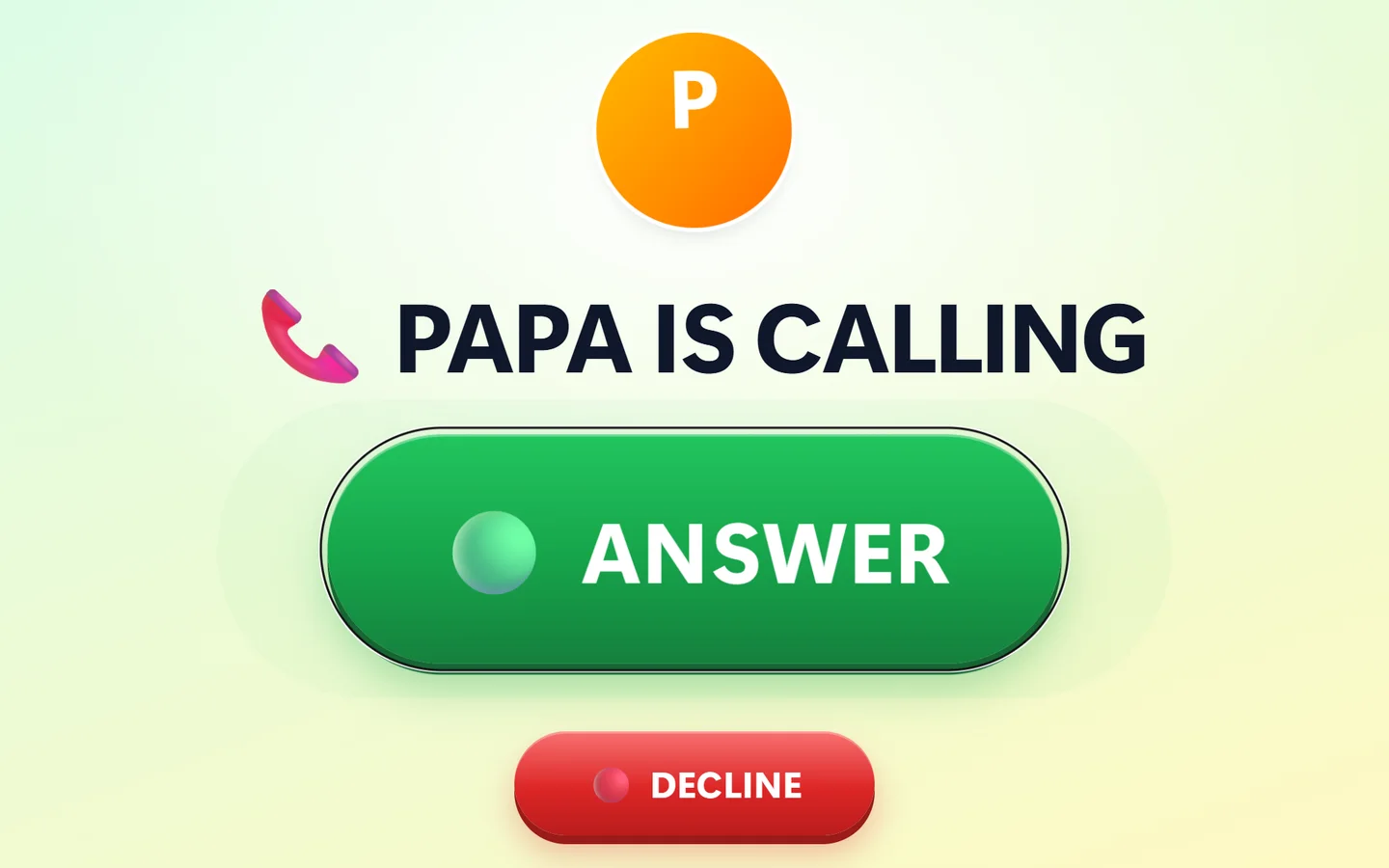
Strangers can't call
Your child's screen rings only for people you invited. No dial pad, no search, no “add friend”.
No number. No email.
Kids never get an account. Their device is paired once with a 6-digit code — nothing a stranger could find.
Encrypted & peer-to-peer
Video flows directly between your devices, encrypted end to end. We never see, record or store calls.
100% ad-free
No ads, no trackers, no in-app purchases, no endless feeds. Just family.
Made for little hands
One giant ANSWER button — or let calls pick up by themselves for toddlers.
A closed family circle. By design — not by settings.
Most apps give a child an identity on the open internet, then ask parents to lock it down with settings. Ghan Ghan works the other way round: your child's device has no identity at all. It lives inside your family's private circle — and only people you invite can ever join.
- 🔢Paired with a one-time codeNo login, no password, no profile — there's nothing to hack, guess or look up.
- 📱Adults join only by invitationA family QR code works once and expires in 48 hours. Every adult signs in with their own password.
- ☎️Your child calls only youKids see big buttons for Mumma and Papa — only if you switch it on. That's the entire address book.
- ⚡Remove anyone, instantlyUnpair a device or remove a relative and their access ends that very second.
Everything a family needs. Nothing a stranger can use.
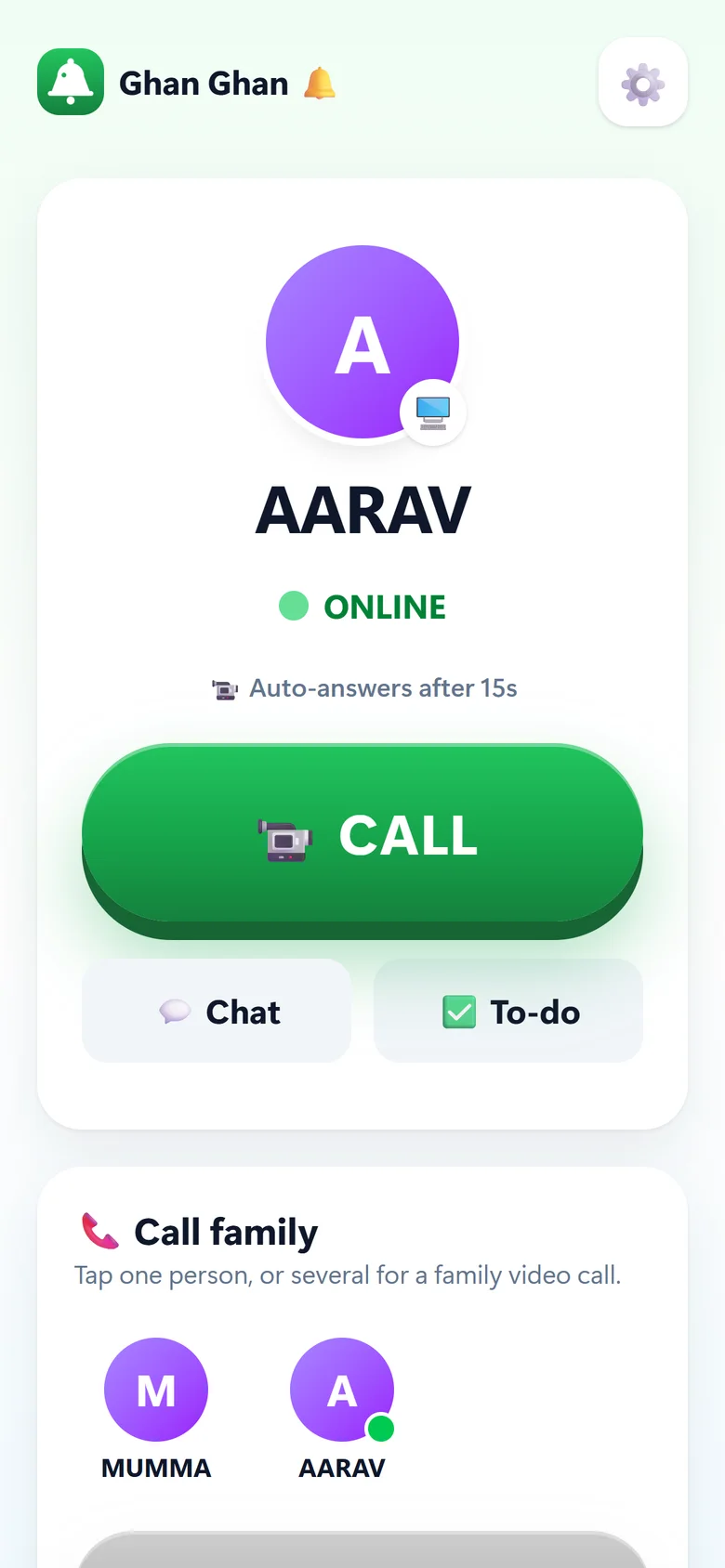
Real screens from the Ghan Ghan Windows app and the parent phone app.
Ghan Ghan─▢✕One giant button. Zero confusion.
When family calls, your child sees who is calling and one big green ANSWER button. Even a three-year-old gets it right the first time.
- Rings full-screen with a cheerful bell — even from the system tray
- Starts with Windows, so the PC is always ready
- Big faces and names — “MUMMA IS CALLING”
Ghan Ghan─▢✕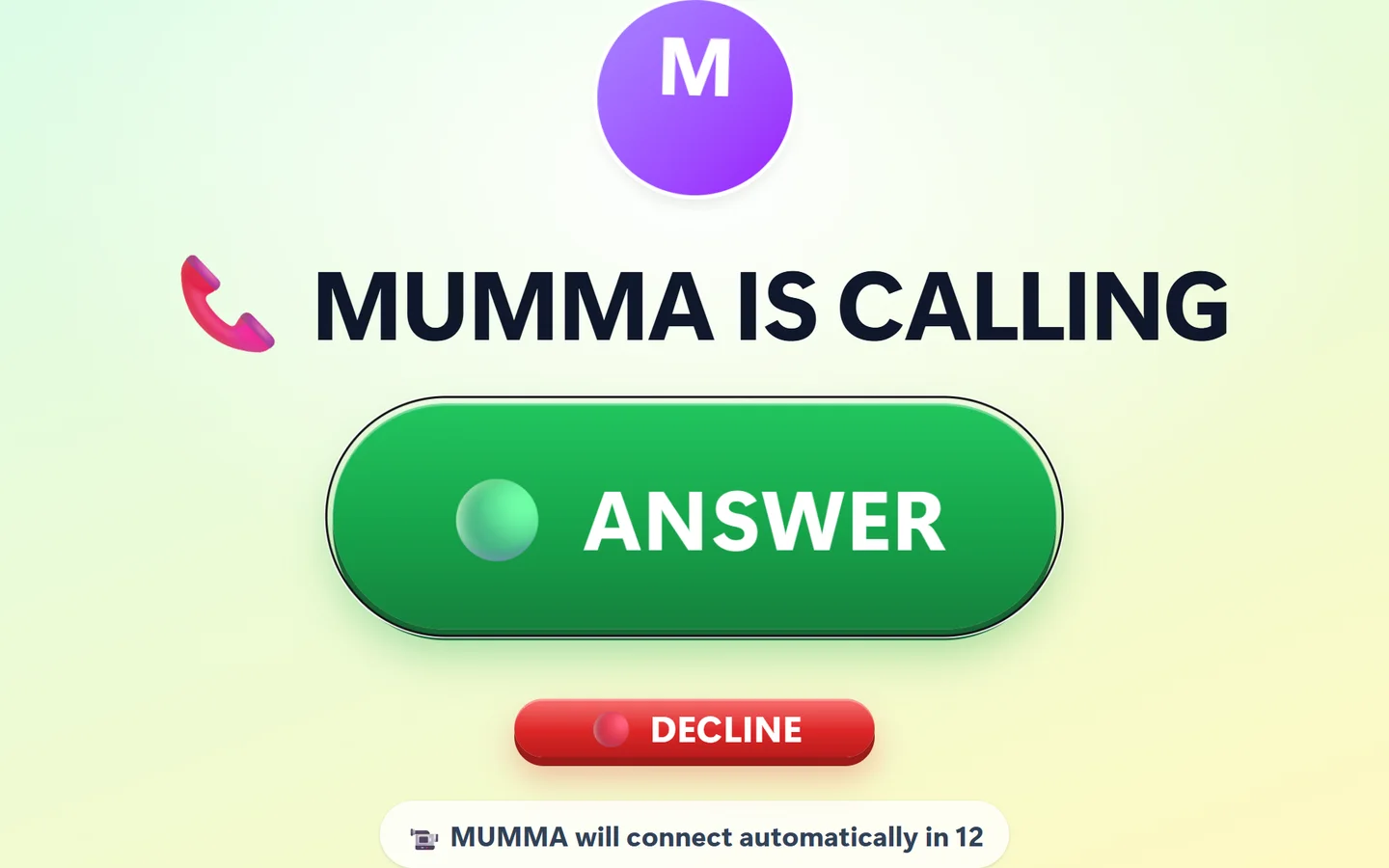
Too little to tap? Calls answer themselves.
For toddlers and small kids, allow auto-answer and pick a delay from 10 to 60 seconds. Say good night from a business trip — no one has to reach the screen.
- Always rings and counts down first — never silent, never secret
- Can only be switched on at the child's own device, with a parent password
- A lost parent phone can never turn it on remotely
Ghan Ghan─▢✕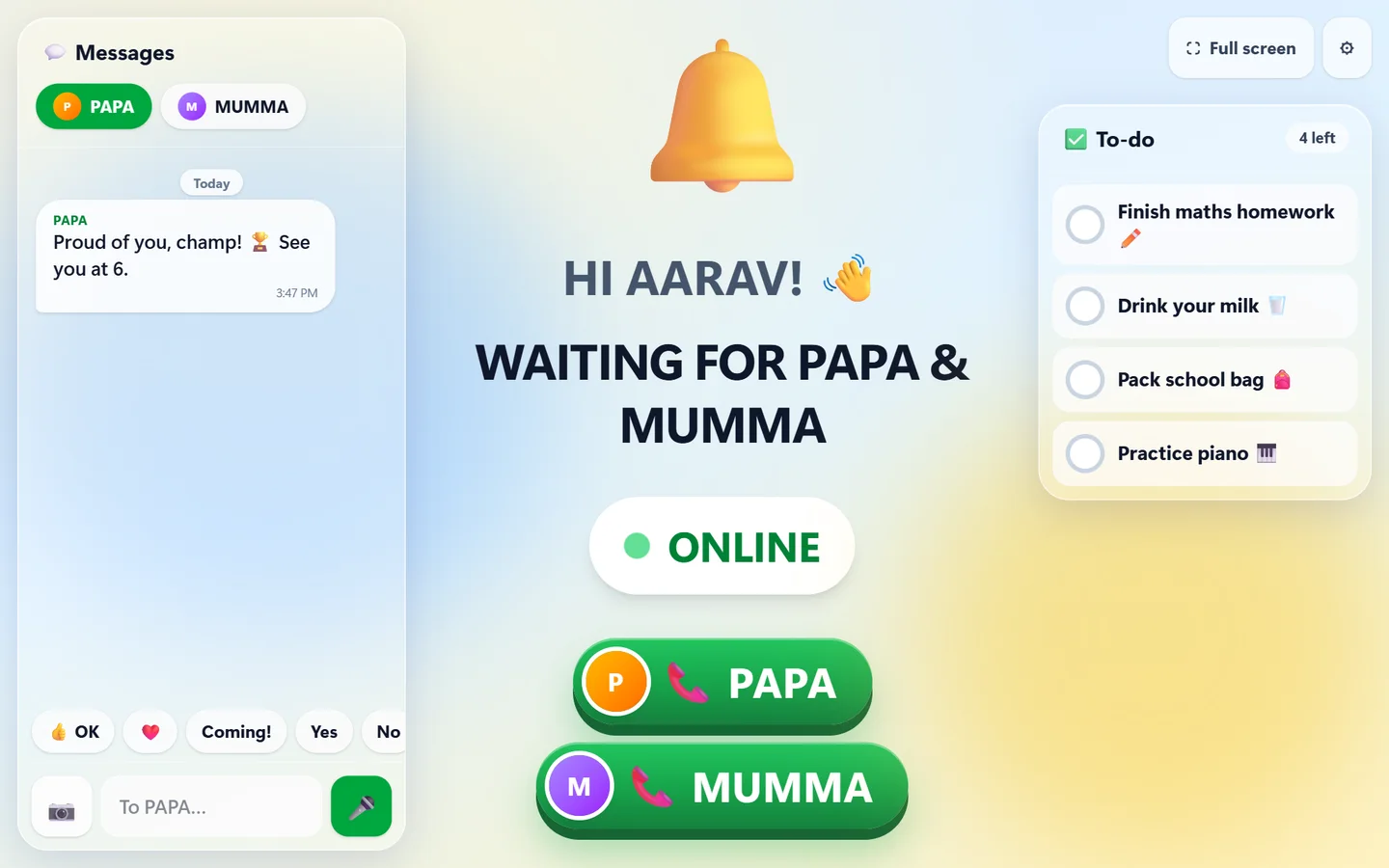
An address book with exactly two names.
Switch on “child can call” and big buttons appear for Mumma and Papa. Your child can reach you anytime — and nobody else, ever.
- Private chat with each parent — tap-to-send replies like “Coming!” and ❤️
- Voice notes and photos go device-to-device
- Missed a call? Your phone tells you who rang
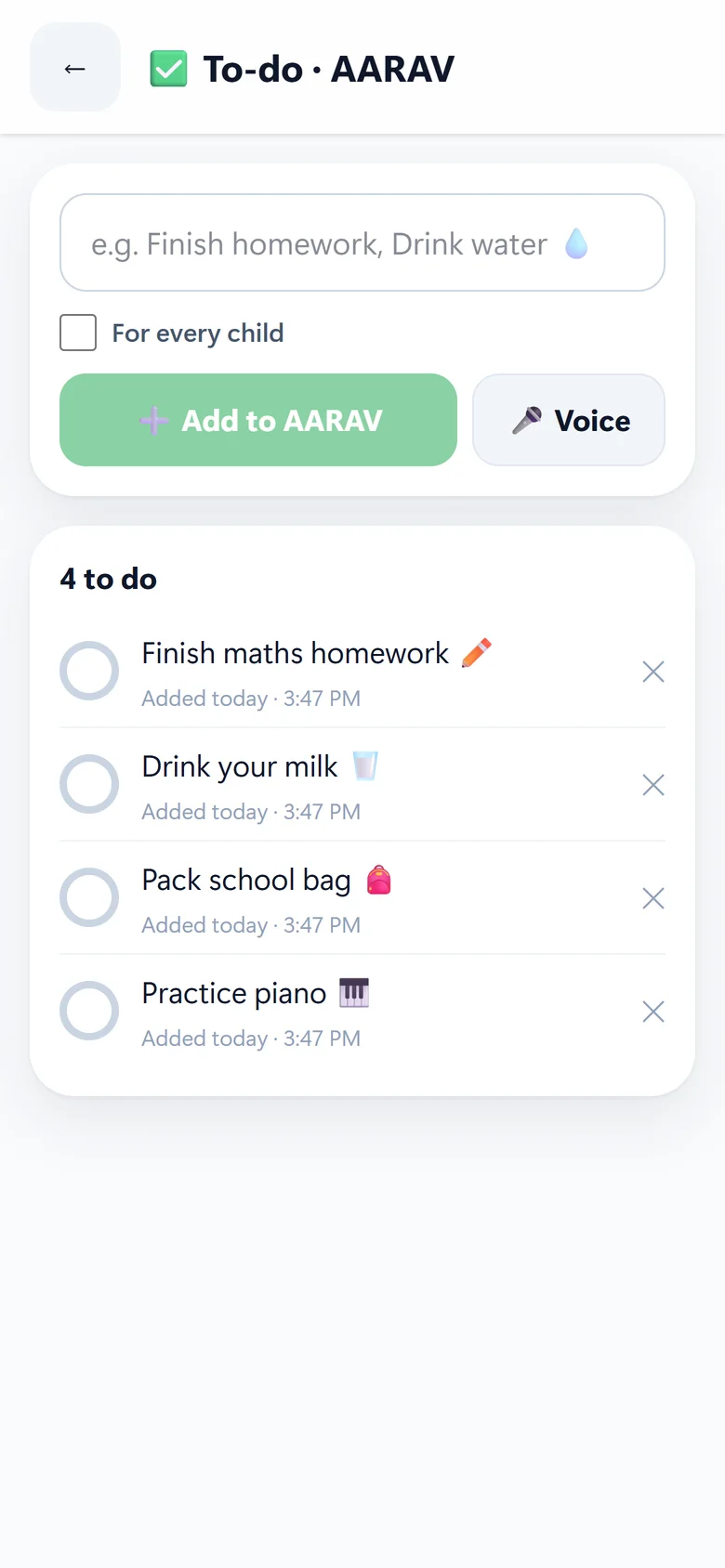
To-dos that actually get done.
Send “Finish homework ✏️” from the office and it pops up on your child's screen to tick off. Type it, or just record your voice.
- For one child or all your kids at once
- You see the tick the moment it's done
- Clear finished tasks with one tap
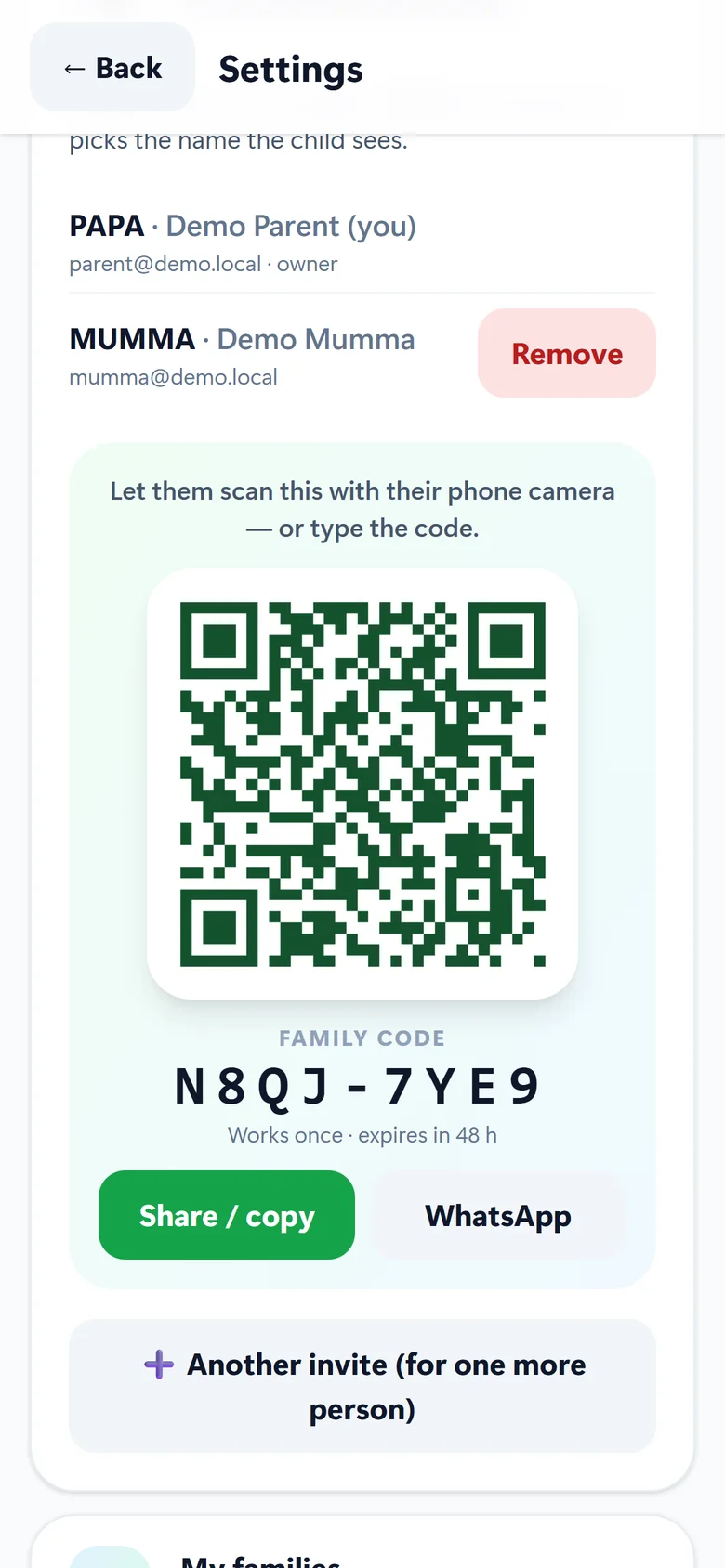
Nani, Dadu, Masi — in one scan.
Show a QR code or share an 8-letter family code. Grandparents join in seconds and choose the name the kids see: “NANI IS CALLING”.
- Every code works once and expires in 48 hours
- Belong to several families — switch with one tap
- Only the family owner can remove people
The whole family, one call.
Call your child, call your partner, or bring everyone together — Mumma at work, Papa travelling, Nani in another city and the kids at home.
- Up to 6 people in a family call
- Join a call that's already going with one tap
- Rings even when the parent app is closed
We can't watch your calls. We built it that way.
Your video goes straight from your phone to your child's screen. Our server only rings the doorbell — it never sits in the room.
Plain-language note: names, the to-do list and typed chat messages are kept on our server so every family device stays in sync. They travel encrypted, are never shared or sold, and are deleted when you remove them.
Three steps. No accounts for kids.
Install on your child's device
Open Ghan Ghan in any browser — Mac, iPad, laptop — or get the Windows app. Or just scan the QR from your phone.
Type the 6-digit code
Your phone shows a one-time code. Enter it once on the child's device — paired forever.
Tap CALL
Your child's screen rings “ghan ghan”. One tap — and you're face to face.
Built for children — not adapted for them.
| 🔔 Ghan Ghan | Regular video-call apps | |
|---|---|---|
| Child needs a phone number or email | ✓ Never | Usually |
| Strangers can find or call your child | ✓ Impossible | Possible |
| Ads, feeds & tracking | ✓ None | Often |
| Auto-answer for toddlers | ✓ Yes | — |
| One-button screen for kids | ✓ Yes | — |
| Built-in to-do list from parents | ✓ Yes | — |
| Made for the family PC | ✓ Yes | Phone-first |
Peace of mind, one ring at a time.
Illustrative stories · verified parent reviews coming with public launchEvery afternoon I used to feel a knot in my stomach — Aarav home with his grandmother, me stuck in back-to-back meetings. Now I tap once and I see his face. No phone for him, no strangers, no ads. Honestly, Ghan Ghan has solved my anxiety.
The kids can only call the two of us. That's the whole address book. It's the first screen I've said yes to without a second thought.
Myra is too little to press buttons. With auto-answer I can say good night from any hotel room — she just sees Mumma appear.
I only scanned one QR code. Now every evening the children ring “NANI!” and I get to see them.
We tried every kids' messenger. This is the only one my son can use on his own — and the only one where I don't worry who's on the other side.
Get Ghan Ghan
Windows app
For the child's PC or laptop. Starts with Windows, rings full-screen, lives quietly in the tray.
Download for WindowsMicrosoft Store — coming soonAndroid app
For parents' and grandparents' phones — or a child's tablet. Calls ring even when the app is closed.
Download for AndroidGoogle Play — coming sooniPad & any browser
Nothing to install. Open Ghan Ghan on a Mac, iPad, Chromebook or any laptop — scan the QR from your phone and it sets itself up.
I'm a parentThis is my child's deviceBuilding the safest first screen for every child.
Children get connected devices earlier every year, yet every mainstream calling app is built for adults — open identities, discoverability, ads. Ghan Ghan is a family-first communication layer where safety is the architecture, not a setting.
Parents don't want a “kids' social network”. They want a doorbell only the family can ring. Removing the child's identity entirely removes the whole category of stranger risk — no moderation army required.
- Windows desktop app, native Android app, web & iPad
- Peer-to-peer encrypted 1:1 and family group video calls
- Multi-family accounts, QR invites, OTP sign-up (WhatsApp & e-mail)
- Push-ringing on Android, auto-answer, chat, voice notes, to-dos
Free 14-day trial, then a simple family subscription. No ads — ever — so our only customer is the parent. Peer-to-peer media keeps infrastructure cost per family very low.
- Grandparent & extended-family plans
- Day-care and school circles (teacher ↔ parent, closed by design)
- Pre-installed on kids' tablets & PCs through device partners
- Global launch in English, Hindi and more languages
Ronak Jain
Engineer and founder of 5S Infotech, Gwalior. Built e-commerce from 2011 — the first Amazon seller from Madhya Pradesh — and appeared on KBC in 2023 as “Jugaadu Jain”. Studied AI & ML at IIT Ropar. Building low-cost, high-trust software for Indian families and small businesses.
Questions parents ask
Can a stranger ever call my child?
No. Your child's device has no phone number, username or email — so there is nothing to search for or dial. It only rings for adults you invited into your family with a single-use code.
Does my child need a phone, SIM or email?
No. Any Windows PC, laptop, tablet or iPad works. You pair it once with a 6-digit code from your phone — no account, no password for the child.
Can Ghan Ghan see or record our calls?
No. Calls are encrypted end to end and go directly between your devices. When a direct path isn't possible, the encrypted stream is relayed without being decrypted. We never record calls.
How does auto-answer work?
It is off by default. A parent switches it on at the child's own device (with a password) and picks a delay of 10–60 seconds. The screen always rings and counts down first, so it is never a silent camera.
Can grandparents in another city join?
Yes. Show them a QR code or send the 8-letter family code. They join in seconds and choose the name the kids see — NANI, DADU, MASI.
How much does it cost?
Every family starts with a free 14-day trial — no card needed. After that it's a simple family subscription. No ads and no in-app purchases for kids, ever.
Give your child a phone only family can ring.
Set up in two minutes. Free for 14 days. No ads, no strangers — ever.